





RVN! 26 Banner revised (800 x 100 px) (600 x 100 px)

Interview with Forte CTO John Sanguinetti on Cynthesizer 5

Interview with Forte CTO John Sanguinetti on Cynthesizer 5
by Randy Smith on 05-26-2013 at 12:00 pm

Recently, Forte Design Systems announced the release of a new core engine to their popular high-level synthesis tool offering. It is a large undertaking, so I asked John Sanguinetti, Forte’s CTO, to answer some questions about that development effort.

Q. How long has it been since the last major upgrade of the Cynthesizer engine (when was C4 released)? Why are you doing this now?
A: This is the first major architectural change to the Cynthesizer core since our initial release in 2001. Of course we’ve been updating and improving the core along the way but it is the first time we’ve changed the architecture. We’ve known for a few years that our current platform would only take us so far and that we would need an upgrade. We started on that process a little over 2 years ago and over the last 18 months it has been one of the top priorities.

Q. What are the major changes in the engine? How will users benefit?
A: The biggest change is that we’ve combined the scheduling and allocation phases. High-level synthesis research for some time now has focused on combining scheduling and allocation. While our previous core organization worked pretty well in general, there were a number of optimizations that we identified that we really couldn’t do with our previous organization. With C5, we can now implement these new optimizations.

More importantly, it provides users with a more predictable platform. The tool can now quickly and thoroughly evaluate changes to the schedule, push them all the way through allocation (where parts are assigned and shared), and get a much more detailed view of the resulting RTL circuit.

We’ve also been able to deliver our first user-controlled power features on the new platform. Cynthesizer has had passive low power features for some time that included low power coding styles, known-good architectures for low power, and choice of half- and quarter-speed memories, for example. Cynthesizer 5 adds the ability to trade-off either area or performance for lower power. New features include integrated HLS-optimized clock gating, FSM (finite state machine) optimization to minimize datapath logic switching, and memory access optimizations. Using Cynthesizer’s exploration capabilities, it will be easy to get multiple QoR data points quickly.

We’ve also developed a new SystemC IDE and analysis environment. The goal with this product is to allow new users to more easily move to SystemC-based design. At the same time we wanted to make it easier for Cynthesizer experts to quickly analyze designs to get to their desired results more quickly. It’s a careful balancing act but we are confident that it is going to be a significant new feature.

Q. How much effort was involved in development? Quality assurance?

A: It was a big effort taking the better part of 2 years with most of our staff. As you know, we’ve been delivering production-level high-level synthesis for more than 10 years and in that time we’ve built up an extensive regression suite. Our regression suite is made up of nearly 10,000 designs that range from small unit test cases to customer-deployed designs with millions of gates. This has proven to be a big advantage for us throughout the development of Cynthesizer 5 because we were able to quickly see the trends in terms of area, performance, and power.

Q. What was the greatest engineering challenge in making C5?

A: Whenever you deliver new technologies into an existing customer base the first challenge is to make sure that your existing customers see the new benefits without giving up anything on their existing designs. This is actually harder than it sounds. One of the toughest challenges is that Cynthesizer 4.3 can achieve really good results already. Getting the quality of results (QoR) to be better in every case was a tall order, but we have very nearly achieved that. The end result is that existing customers should have a great experience with Cynthesizer 5 with no disruption in their flow and both new and existing customers will find some really exiting new features that further differentiate Cynthesizer.

Q. Were any customers involved in C5? If so how many and how (and who if you can tell us)?

A: We always work closely with customers on any new developments. We had partners in the US, Japan, and Korea looking at Cynthesizer 5 very early on as well as Cynthesizer Low Power.

Q. What effort should current users expect in transitioning to C5?

A: We don’t expect any significant effort for existing users. We’ve included compatibility modes to make sure that the transition is easy with existing designs.

Q. What are the next major improvements to the engine? Will those be a focus of C6 or will you be able to add those features into C5?
A: We’ve designed this platform to be able to carry the product line for a long time. We expect to be spending a lot of time continuing to raise the abstraction-level of the input, adding new low-power optimizations, and expanding our IP effort.

Q: What will Forte be showing at DAC in Austin?
A: Cynthesizer 5 will be the main focus but we will also have a number detailed technical sessions. One of customers, Adapt-IP, will be showing a USB 3.0 design completely designed with Cynthesizer running on a live board. We’ll also have a joint session with Ansys Apache on low power and a detailed technical tutorial on Cynthesizer. You can find more on our website at www.ForteDS.com/dac2013.

lang: en_US

Avoiding layout related variability issues

Avoiding layout related variability issues
by Daniel Nenni on 05-26-2013 at 7:55 am

In advanced process technologies, electrical and timing problems due to variability can become a big issue. Due to various processing effects, a circuit performance (both speed and power) is dependent on specific layout attributes and can vary a lot from instance to instance. The accumulated effects can be severe to the point that it may cause the circuit to fail.

In this blog I will demonstrate how iDRM is used very effectively to measure and analyze millions or even billions of layout instances and determine possible impact on performance. We will focus on two layout dependent effects that affect transistor performance:

  • Well Proximity Effect (WPE). Transistors that are close to the well edge have a different performance (mostly due to modified Vt) than ideally placed transistors. The effect can vary the transistor speed by ±10%.
  • Stress/strain effect. This effect causes the mobility of charge carriers in transistors to change which causes changes in device Idon. The precise quantitative effect is very process dependent and can vary the transistor speed by ± 30%.

There are various situations where such analysis is needed. The context can be one where a legacy design or IP is being integrated or reused by another group, or when a design is sent to be fabricated by a different foundry than the one originally designed for.

The approach we take is to gather general statistics on the above variation effects for every device in the layout and then analyze the value distribution. We want to check if there are any significant outliers from the regular expected data, and also look for general shifts in the distribution that can make the overall average faster or slower than expected.
The specific WPE and stress effects described here apply mostly to the 28nm and 40nm nodes. A similar approach can be used for variability checks in fin-FET designs, for example due to the impact of certain layer density variations.

Defining what to look for using iDRM

Using iDRM, we define two patterns that will be used to gather statistics from a physical design.
[LIST=1]

  • The first pattern will be used to measure WPE effects:

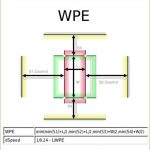
    • We draw a transistor (crossing Poly and Diffusion edges) of which the W/L is measured and we draw the well edges around the device (see WPE figure). Note that the well edges display a “multiple edge” shading since a single transistor may be enclosed by multiple well edges on each side.
    • We enter a formula to calculate the minimal distance of the well edges to the transistor gate center. This is the minimum of all four side distances as in the expression shown in the picture. We call this variable WPE.
    • A dSpeed variable is created to calculate the speed impact as: (1/0.24 – 1/WPE). The chosen reference distance value 0.24 is an average value for devices in the nominal range. dSpeed represents the speed difference between a nominal transistor and each one being matched. A non-zero dSpeed will indicate a layout irregularity that deviates from the nominally modeled and characterized devices and might present a WPE risk that warrants further analysis.


    Obviously, you can use a more advanced WPE to speed model, but this simple model is already sufficient to reveal valuable information. The purpose is not to exactly predict speed impact, but to identify potentially risky deviations from nominal, well modeled design.

    [LIST=1]

  • The second pattern will detect one of the major stress/strain influencing effects. This is LOD (Length Of Diffusion), the amount of SD diffusion area that extends away from the gate.
  • The pattern is similar to the WPE pattern. Again the transistor is drawn and the relevant distances are measured and a simple formula is used to calculate a dSpeedLOD. The chosen reference value 0.075 is an average distance from the gate centerline to the diffusion edge in nominally drawn and modeled devices. Any dSpeedLOD which deviates from 0 indicates a non-nominal device that requires further inspection.


    Gathering and processing physical data
    Once the patterns have been defined, we can run them on the physical design. Run times will vary from a few minutes for a block to a few hours for a full chip. During the run, iDRM will automatically record the following:

    • all the locations where such patterns were found
    • for each such location (match instance): the actual values of the distances that were defined in the pattern definition
    • all the evaluated expressions

    Interpreting statistical results
    iDRM has powerful features to display results of statistic data collection:

    • Frequency graphs where the occurrence count (how often does a specific value occur in the layout) of a variable (e.g. a distance) is plotted against the value of the variable.
    • 2-D graphs where two variables are used, and occurrence counts are displayed color coded
    • Pareto charts, showing cumulative occurrence of combinations of multiple variable values
    • Plain tables displays
    • Exports to *CSV files that can be used by other tools.

    All statistics views are linked to the layout and it takes one-click to find and view all occurrences of any specific value combination in the design.

    We ran these patterns on a typical test SOC layout and found that both distributions have some interesting characteristics.

    WPE Statistics
    (see occurrence graph below)
    Looking at the WPE occurrence graph, we find the largest group of occurrences around rule value zero, which is expected. But there is also a peak at rule value= -9.5 (remember, the actual value is not that important, we are mostly checking if this is a normal distribution) which indicates a large number of devices that were laid out in a special way. After inspecting the layout for this value, which is just one mouse-click away from the statistics view, we could see that these are all long-L small-W devices close to a well edge in a special standard cell (a power down retention circuit). We did find a special circuit, which might be variation and yield sensitive by just looking at statistics, and without knowing the design. We can now focus on these circuits and further analyze their impact.

    LOD Statistics(see occurrence graph below)
    Looking at the LOD distribution we see a big peak in occurrence count at value -2.8. After inspecting these instances they turned out to be special transistors in a memory array. Assuming that the memory cells are properly characterized, we can ignore these.


    Conclusion

    iDRM enables an easy to use and yet very powerful mechanism to analyze legacy or otherwise not fully familiar designs; sort through a huge amount of physical design data, and quickly identify specific design objects that may impact performance or yield and thus require further analysis.

    Defining the patterns and measurements is done graphically and takes less than an hour and requires no programming skills.

    In addition to the above examples, iDRM can be used to search, measure and analyze many other physical design objects and phenomena that can have an impact on design integrity, performance and yield.

    Further information can be found at Sage’s white paper here.

    Sign up for a demo at DAC booth #2233 here.

    lang: en_US


  • Heart of Technology Heads to DAC in Austin

    Heart of Technology Heads to DAC in Austin
    by Randy Smith on 05-25-2013 at 2:45 pm

    With the support of the Heart of Technology, one of the big events this year at DAC will be the Kickin’ It Up in Austin celebration on June 3, at the amazing, world famous Austin City Limits Live! The event starts at 8:00 PM, runs until 1:00 AM and features three bands – 9-time Grammy winner Asleep at the Wheel; Vista Roads, an industry band featuring Jim Hogan and friends; and Texas Terraplanes, described as “Rock’n Electric Blues…sounds like a hot steam’n plate of Texas ribs and brisket with a side of seafood gumbo.”The first 400 guests in the door at the 50[SUP]th[/SUP] anniversary celebration will receive a free concert T-shirt. A DAC badge is required for entry.

    A special part of the celebration takes place in the HOT Zone sponsored by Heart of Technology and several emerging companies in the EDA and IP industry. Held in the Jack and Jim Gallery at the top of ACL Live, the HOT Zone features artist and performance photos from the famed photographer Jim Marshall. The Jack stands for Jack Daniels, and premium drinks will be served there all night. This is a great opportunity to party with friends as well as raise money for a good cause.

    The Heart of Technology has served as a fundraising accelerator for charities for nearly ten years now. Conceived and lead by the efforts of Jim Hogan, and with the assistance of many other industry professionals, the Heart of Technology assists non-profits by helping them raise money for causes that strengthen communities and help people going through difficult life transitions. With DAC being held in Austin, Texas this year the Heart of Technology has turned its attention to host an event to benefit CASA (Court Appointed Special Advocates) of Travis County. CASA speaks up for children who’ve been abused or neglected by empowering the community to volunteer as advocates for them in the court system. Prior charities have included Second Harvest Food Bank, FleaHab, and southern Bay Area schools.

    To be a guest at the HOT Zone, just donate $50.00 or more to CASA of Travis County. Your donation is tax deductible. Find out more details on the HOT website.

    What’s Sizzling in the HOT Zone
    · Private performance by “The Red Headed Stranger”
    · Premium drinks including Jack Daniels for which the gallery is named
    · Unique food including Texas Treats on a stick and breakfast buffet on a stick
    · Photo booth, tattoos
    · Entry into a drawing for a Stratocaster guitar signed by Asleep at the Wheel
    · Private balcony seating for main stage performances
    · Featured entertainment at the DAC party includes Grammy Award winning artists Asleep at the Wheel, Vista Roads Band, and Texas Terraplanes

    The first 100 people to make a donation of $100 or more will receive a rock and roll HOT Zone t-shirt! Find out more at www.heartoftechnology.org.

    Don’t miss what will be one of the most memorable DAC events yet!

    Full Disclosure: I will be singing in the Vista Roads band at the event.

    lang: en_US


    DAC50 App for iPhone Now Available

    DAC50 App for iPhone Now Available
    by Paul McLellan on 05-24-2013 at 8:24 pm

    This year’s version of Bill Deegan’s DAC App for iPhone is now available for download from the iTunes App Store. The App has the entire calendar included, and makes it easy to add any interesting looking event to your calendar. The whole exhibit hall can be searched and there is a zoomable map of the exhibit hall.

    I have found that the App is an easier way to get stuff onto my calendar that I am interested in than doing it by hand.

    Bill is now working on the Android version which should be available soon.

    The App can be downloaded here.


    Bringing Sanity to Analog IC Design Verification

    Bringing Sanity to Analog IC Design Verification
    by Daniel Payne on 05-24-2013 at 1:07 pm

    Two weeks ago I blogged about analog verification and it started a discussion with 16 comments, so l’ve found that our readers have an interest in this topic. For decades now the Digital IC design community has used and benefited from regression testing as a way to measure both design quality and progress, ensuring that first silicon will work with a higher degree of confidence.

    So, what can be done to make automated Analog Verification a reality for the average IC designer? In the Analog design space, a subset of testing will always remain manual. Often there is no way (or desire) to replace pulling up a SPICE waveform or looking at an eye diagram. But there is a large class of testing that can be scripted and automated.

    In the last blog in this series, I looked at how a tool like VersICfrom Methodicscan help you discover, run and track the history of scripted tests right from within your Cadence environment. If you are willing to absorb the initial cost of setting up automation scripts, the benefits are manifold. Scripted tests can be standardized and run multiple times in identical fashion. Tests can be tracked, ported and shared easily across cells, libraries and designs.

    Once some scripted tests are available, an additional benefit can be obtained – automatic regressions. A regression is a collection of tests that are run as a group. This group can then be manipulated, tracked and managed as a single entity.


    Regressions as collections of scripted tests in Virtuoso

    Grouping tests into regressions makes it very easy to run a set of consistent checks on a design change. Tests that are related in some way – say LVS/DRC, port checks and RTL consistency checks can all be grouped into a single regression for hand-off criteria. There is now no need to remember if all the hand-off criteria were met – simply run this regression and it ensures that all checks were in place.

    Other examples of regressions include ADEXL functional tests that can be grouped as a regression. Each library or cell can have its own functional tests, run through a common ADEXL automation framework, so that essentially the same regression is run on all the cells of a library.

    When handing a design off to integration, a good practice would be to run some critical subset of your tests as a handoff – or ‘sanity’ – regression. This regression, commonly referred to as a ‘smoke’ regression in Digital Verification circles, ensures that minimum quality is met before integration is attempted. This way, the integration team only concentrates on issues at the subsystem or system level, knowing that the individual cells or libraries are consistent.


    Regression Progress Graph

    Regression can also be tracked for progress – plotting the number of passing/failing tests in a regression over a period of time is a good indicator of the health of the design.

    Think of regressions as a powerful communication tool. Regression results automatically provide a view into the current state of the design. The tests included in a regression are an indicator of what tests are important. Passing or failing regressions automatically become a gating criteria for acceptance of a design.

    Summary
    The new discipline of regression testing for AMS designs is of benefit and Methodics has EDA tools that will help you add automated regression testing into your IC design flow.

    If you’re traveling to DAC in Austin then visit the engineers at Methodics in booth #1731, ask for Simon Butler.

    Further Reading

    lang: en_US


    The Internet of Things

    The Internet of Things
    by Paul McLellan on 05-24-2013 at 1:02 am

    There is a lot of talk about the Internet of Things (IoT) about how everything is going to be connected to the internet. For some reason the archetypal example is a refrigerator that knows what you are nearly out of and puts it on your shopping list. Or orders it from the store. Or something. This seems like pretty high on the list of things I don’t need. If my self-driving car would go and gas itself up without me, that would be great, but I don’t need a special delivery of milk and bacon. Well, OK, who wouldn’t want a delivery of bacon.

    Here’s one of those little incremental steps on the way that seems neat. How about a fridge magnet. Boring. From a pizza company. A little less boring. With a button on it. When you press the button, the magnet (well, the electronics inside) links by bluetooth to your cell-phone and orders a pizza. It is all confirmed by text in case you want to change anything about the order. And the pizza shows up in 30 minutes.

    Of course it isn’t available everywhere yet. Silicon valley? Forget it, it is only available in Dubai, which wouldn’t have been the first place I’d have picked. It has been so popular that they ran out of them and there is a six week delay while they manufacture more.

    See a video showing how it works (1½ minutes).


    PinPoint in Practice

    PinPoint in Practice
    by Paul McLellan on 05-23-2013 at 10:40 pm

    I talked with a mystery person earlier this week. I would love to tell you his (or her) name and the company he (or she) works for but they are the sort of company that doesn’t casually endorse any suppliers so it all has to remain anonymous. But they have been a customer of Pinpoint, originally from Tuscany Design Automation until late last year when Dassault Systemes acquired the company. They have been using it in production designs for about 18 months.

    Like most big semiconductor companies, they have multiple internal dashboards that have been homegrown. But Pinpoint is unique since it does not just pull status reports and metrics together in one place, it provides all the information needed to visualize a problem, debug the problem, plan the fix and make decisions from within a single browser window. Without the information Pinpoint provides it is often unclear what approach should be taken: if a path misses timing is it an RTL problem, a routing congestion problem, bad power grid, poor placement, or a bad floorplan. All of these are possible reasons and with only a timing report and a perhaps the layoutit is almost impossible to guess which is the root cause and thus whose job it is to try and fix it.


    Unlike internal dashboards, Pinpoint makes it possible to look at the actual paths of interest (not making timing, say), see where they run in the layout and overlay it with other relevant information. The company now uses Pinpoint to drive their weekly project meetings when they are in design closure. They also use it as a focus to get RTL designers more involved since all the information is available through a browser window. The design team goes all the way from RTL to GDSII with very tough timing and power requirements. So RTL designers need to work closely with the physical team, they are not “just” taking pre-designed RTL IP from another group and integrating it into an SoC.

    They are also starting to use Pinpoint as a way to communicate to geographically dispersed teams. Most of the team is in one site but there are people at a couple of other sites and PinPoint makes it easy to have a common view for discussion.

    They have customized Pinpoint in a number of ways, firstly to add internal metrics that they sometimes use and also to overlay information from different sources such as power analysis maps from specialized power analysis tools, or congestion maps from routers, or thermal maps. This is something that is hard to do in the individual tools since they are usually only designed to display their own data graphically.


    Another big saving is that Pinpoint provides visualization of physical design, timing paths etc without pulling down an expensive license of PrimeTime or the place & route tools during this analysis and debug. It is not just a financial saving, there is a big saving in time in avoiding needing to reload the whole design/block.

    During physical design regression (the nightly run) all the data is automatically updated into Pinpoint. When a designer is playing around with multiple experiments, he/she can flag their best run and control the collection of the metrics. Pinpoint can track the historical progression of the various metrics and the status of the design, and that data is always maintained and visualizable even if the original source data (DEF, LEF, Primetime reports, etc) have to be deleted to make disk space available for future iterations.


    Do my tests certify the quality of my products?

    Do my tests certify the quality of my products?
    by Pawan Fangaria on 05-23-2013 at 9:00 pm

    Honestly speaking, there is no firm answer to this question, and often when we get confronted by our customers, we talk about the coverage reports. The truth is a product with high rate of coverage can very easily fail in customer environment. Of course coverage is important, and to be clear about the fact that the failure is not because a particular construct was not tested, we heavily stress on 100% coverage. When I was managing physical design EDA products, I often used to have arguments with my test team about flow tests which go much beyond the syntax and semantics, and in true sense have no limits. The toughest problem we had that no customer was ready to give its design to us for testing purposes. Sometimes, if we were lucky, could get a portion of it under NDA, else relied on repeated reporting of failures (until pass) from the customer.

    I am happy to see this tool called Crossfire from Fractal Technologies. This tool enables customer as well as supplier to work in collaborative mode and certify the checks required for a design to work. It works at design level to validate complete StdCell library, IOs and IPs which are used in the design, and has more than 100 types of checks used consistently over different formats at front-end as well as back-end, including databases such as Cadence DFII, MilkyWay and Open Access. Apart from parsing the format, it has specific checks for cells, terminals, pins, nets and so on, as usual for all cells in the library.

    What is interesting, and that adds up into the quality of test, is special set of checks which actually sneak into design quality at the time of construction of the design. Some nice examples of these are –

    Layout Vs layout – Identity between polygons is checked by Boolean mask XOR operation and abstract enclosing layout polygons. Typical errors of this check can be in the form as below –

    LEF cell size – LEF cell is checked to have correct size as per LEF technology.

    Routability – Checks if signal-pins can be routed to cell-boundary. Typical errors are – “Pins not on grid” or “Wrongly coded off-set”.

    Abutment – Cells checked for self-symmetry and abutment with reference cell. Typical abutment errors are represented as below –

    Functional Equivalence – Functional representation in different formats is checked for equivalence. Schematic netlists such as Spice, CDL or schematic views must exhibit same functionality. Similarly Verilog, VHDL or any other description must mean the same functionality. Typical Functional Equivalence errors are – “mismatch between asynchronous and synchronous descriptions”, “short circuit”, “missing functional description”, “Preset and Set yielding different results”, and so on.

    Timing Characterization: cross format – Checks for consistency of timing arcs in all formats such as Verilog, VHDL, Liberty, TLF and the like

    Timing Characterization: NLDM (Non-linear Delay Model) – Consists of Index, Table Values, Trend, Property and Attribution checks. Typical characterization errors are – delay decreases with increasing output load, obsolete default conditions, non-pared setup and hold times etc.

    Timing Characterization: CCS (Composite Current Source) – Consists of Index, Table Values, Reference time, Peak position, Threshold passage and Accuracy checks. Typical CCS characterization errors are represented as below –

    Timing Characterization: ECSM (Effective Current Source Model) – Consists of Index, Table Values, Threshold passage and Accuracy checks. Typical ECSM characterization errors are represented as below –

    Power Characterization: NLPM (Non-linear Power Model) – Consists of Index, Table Values and Trend checks.

    A detailed description of all these checks is given in a paper at Fractal website here.
    It also has example test reports of 45nm library and 45nm PDK library validations – Example1 and Example2

    An important characteristic of Crossfire is that it allows you to create new tests on demand as per your design and design flow, hence leading to completeness in all types of checks in actual sense. It can also accommodate proprietary formats and databases. Fractal team provides expert knowledge on validation flows and integration of customized APIs with Crossfire which then provides a true environment for complete Quality Control and Assurance.


    It’s all in the details of FPGA requirements management

    It’s all in the details of FPGA requirements management
    by Don Dingee on 05-23-2013 at 8:30 pm

    Word association: if I said “requirements management”, you’d probably say IBM Rational “DOORS,” or maybe Serena or Polarion if you come from the IT world. But what if the requirements you need to manage are for an FPGA or ASIC, with HDL and testbench code and waveform files and more details backing verification, and compliance to safety-critical standards is needed?

    Continue reading “It’s all in the details of FPGA requirements management”


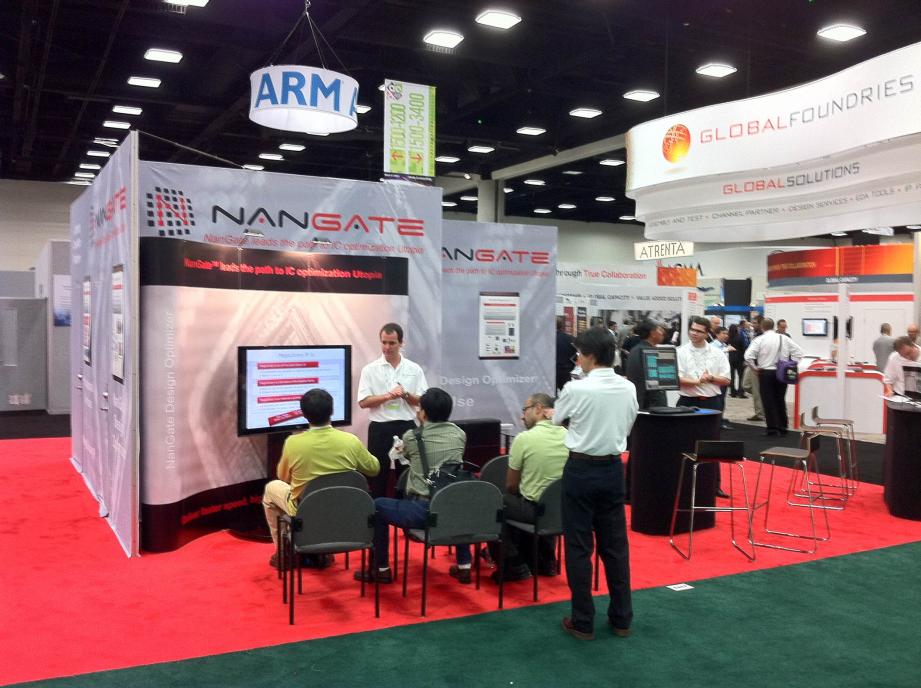
    A Brief History of NanGate

    A Brief History of NanGate
    by Daniel Nenni on 05-23-2013 at 8:10 pm

    NanGate got started in 2004 by a group of engineers from Vitesse Semi and Intel. The technology and market idea was to address and solve the inherent shortcomings of standard cell based design as compared to full custom. Anyone having tried to push the performance of a standard cell design knows the frustration… if only I had a better library or if I could just have these extra cells made!

    Standard cell libraries have been around for a long time and have grown in size and complexity from a few hundred cells to several thousand cells. The library design and the choice of which cells to have in the library are key factors to getting the most performance out of the technology and at the lowest power and area possible. The problem is that making a standard cell library takes a lot of effort and has to be a compromise between the power, performance, and area demands from different applications.

    NanGate is about creating and optimizing standard cell libraries. They focus on automating the whole process from library specification to GDSII and Liberty. They support and generate all the views and formats needed to use the libraries with standard synthesis and place-and-route flows. Automation and high productivity are key. As the only library optimization company in the world they can generate layout in geometries from 14nm to 350nm from Boolean equations, SPICE netlists or stick diagrams and automatically find the optimal implementation in the selected technology and cell template. Nangate even supports GDSII-to-GDSII migration and DFM optimization.

    The Nangat tool suite includes library characterization and library validation. As in digital design formal verification, STA and DRC are must-haves for any contemporary design flow. Validating the library characterization is just as important as any mistakes or modeling inaccuracies will have wide ranging consequences. The same is the case for validating the many different views in the library such as LEF and verilog.

    NanGate’s tool suite has been developed, improved and proven in combat during the last 8 years. It required more than $25 million in venture capital funding and an engineering team of more than 30 engineers at the top to pull it off. By 2009, NanGate had 5 EDA products in the market for Library Creation, Characterization and Validation:

    • NanGate Library Creator[SUP]TM[/SUP]
    • NanGate Library Characterizer[SUP]TM[/SUP]
    • NanGate Liberty Analyzer[SUP]TM[/SUP]
    • NanGate Design Audit[SUP]TM[/SUP]
    • NanSPICE[SUP]TM[/SUP]

    The products have been adopted by more than 15 customers and several public testimonials have been made by leading foundries and semiconductor companies such as TSMC, Fujitsu and Renesas. NanGate’s library platform has enabled customers to create custom libraries with much less effort and to push the performance higher.

    As with the EDA industry in general, the VCs left Nangate in 2012 which enabled a management buyout. Today, Nangate Inc is fully owned and controlled by management. They have refocused the company on the core customers and competencies of NanGate. And probably most importantly, they have restructured the company to be Silicon Valley-based and profitable. Moving forward, NanGate will focus on library automation and optimization for the most advanced process nodes. Partnerships are key to NanGate’s future strategy; recently they integrated Sagantec’s 2D compaction engine to add a DRC correct clean-up step at the end of the layout generation flow. This complements the existing layout creation solution and enables the most powerful 14nm solution in the market today.

    NanGate, a provider of physical intellectual property(IP) and a leader in Electronic Design Automation (EDA) software, offers tools and services for creation and validation of physical library IP, and analysis and optimization of digital design. NanGate’s suite of solutions includes Library Creator™ Platform, Design Optimizer™ and design services. NanGate’s solution enables IC designers to improve performance and power by concurrently optimizing design and libraries. The solution, which complements existing design flows, delivers results that previously could only be achieved with resource intensive custom design techniques.