You are currently viewing SemiWiki as a guest which gives you limited access to the site. To view blog comments and experience other SemiWiki features you must be a registered member. Registration is fast, simple, and absolutely free so please, join our community today!
Analog and mixed-signal design teams now benefit from the seamless integration of OneCheck with the industry-reference Cadence Virtuoso® Schematic Editor.
Using OneCheck has never been as smooth and simple:
Connect OneCheck analysis window to Virtuoso in a simple click ;
- Use Netlist and Run to trigger OneCheck directly from your Virtuoso schematic,
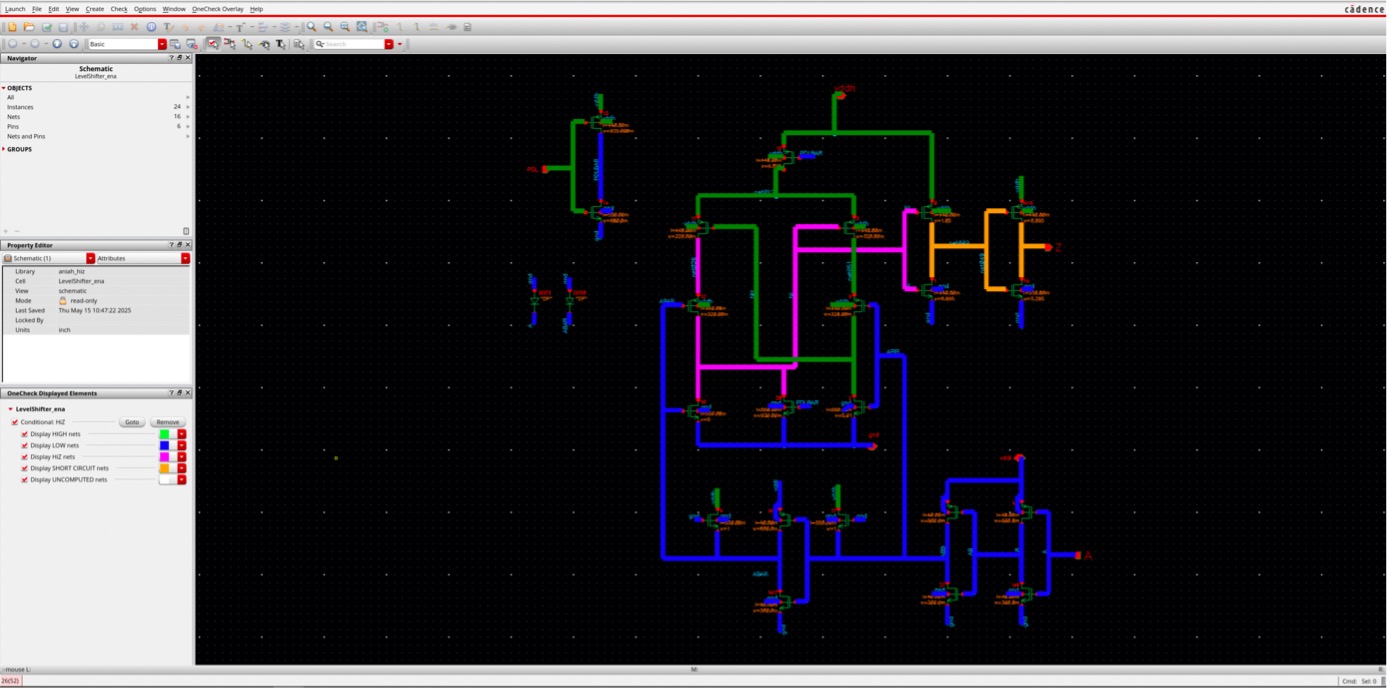
- Back-annotate OneCheck analysis results directly in the schematic you’re familiar with
- Navigate in your schematic and see how signals propagate
- Enjoy a design 100% electrical error-free !
Fig. 1: Example of back-annotation of OneCheck results in Virtuoso schematic, showing the states of different nets directly on the schematic